Weak Audit & Compliance Trail
How JTN TMS controls who can do what, and records who did it and when.
The problem
What it looks like without a system
- Everyone shares one login, or every user can see everything.
- When a record changes, nobody can say who changed it.
- Auditors ask for evidence that takes days to piece together.
- Staff who leave keep access longer than they should.
How JTN TMS handles it
Access is granted by role, and every action leaves a trail
-
1
Roles with fine-grained permissions
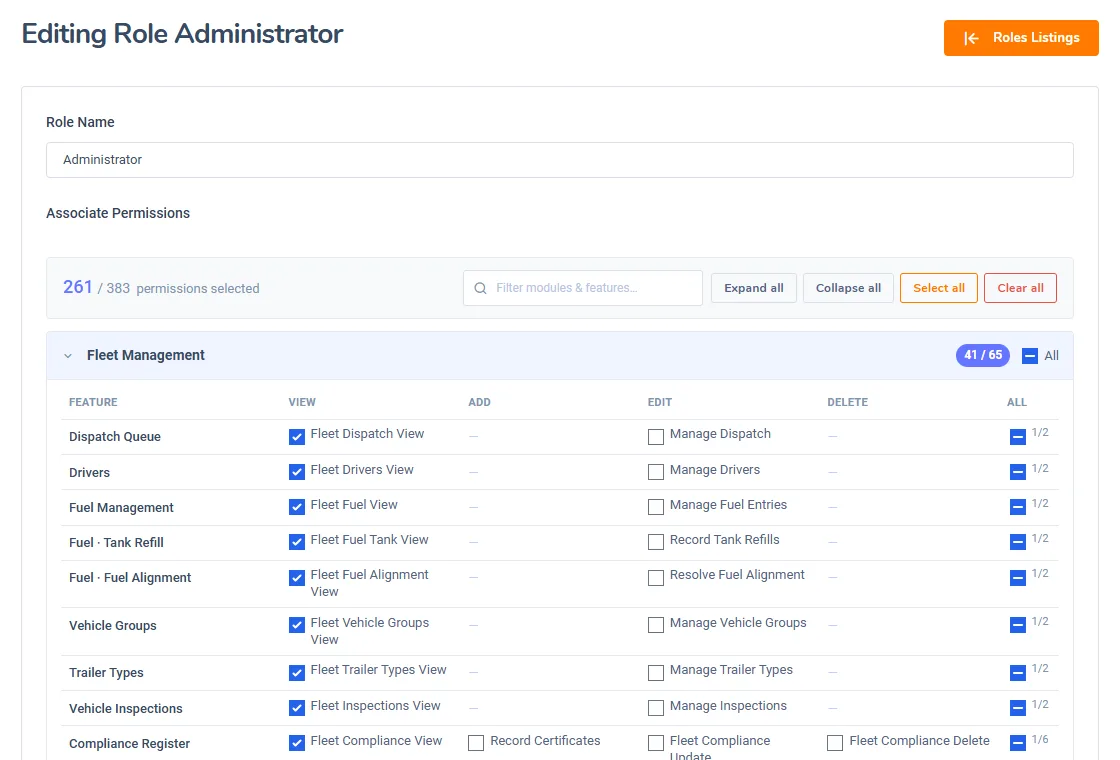
Each role gets view, add, edit and delete rights for every feature, module by module.
-
2
One-time codes at sign-in
OTP verification can be required at login, for everyone or for selected users.
-
3
An activity log for every action
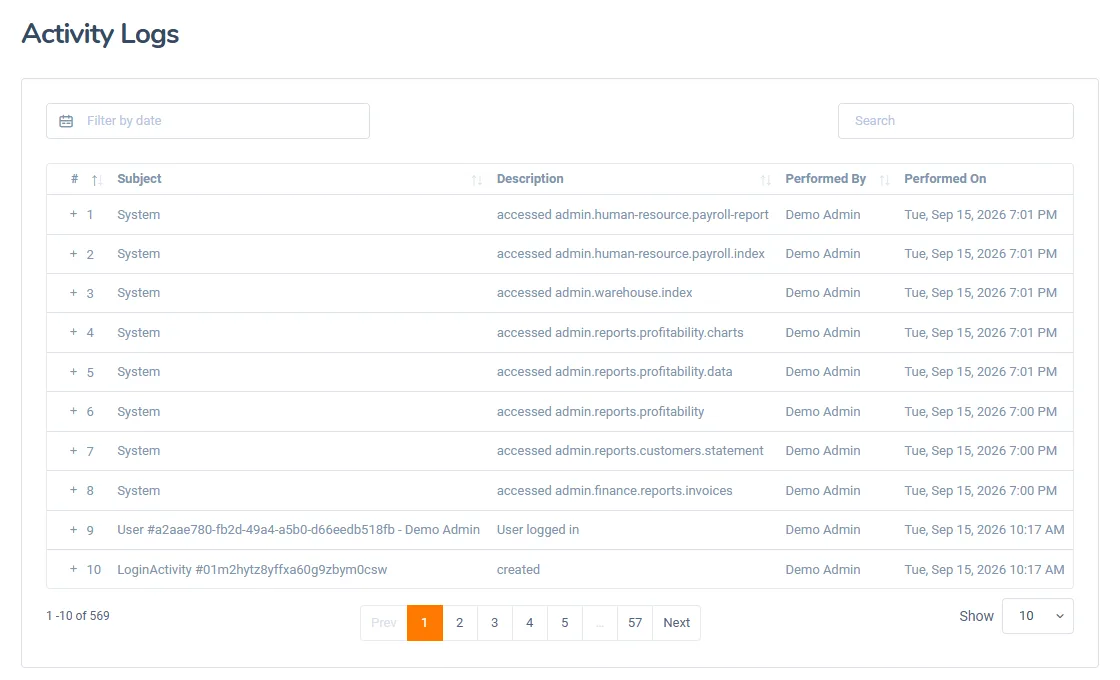
Access and changes are logged with the subject, description, user and time, and can be searched by date.
-
4
Login history per user
User logs record sign-in activity, so unusual access stands out.
-
5
Scoped by company
Reports and records can be filtered by operating company in multi-company setups.
Inside the system
The screens your team works from
Governance
Permission matrix per role
Rights are set per feature. Here, 261 of 383 permissions are selected for the Administrator role.
Governance
Activity log
Every access and change, with who performed it and when, searchable and filterable by date.
Keep exploring
Other problems it removes
Next step
See it handle this in your own operation
A walkthrough starts with access control and audit trails and uses the modules that match how your team already works.
Talk to our sales team
Pick whichever channel suits you. The message is already written.
NAIROBI