Unclear Trip Profitability
How JTN TMS puts revenue, fuel, expenses and overheads against each trip, so you know which jobs make money.
The problem
What it looks like without a system
- Revenue is known, but the fuel and expenses behind each trip are not.
- Costs sit in receipts and spreadsheets that are reconciled weeks later.
- Unprofitable routes and customers keep running unnoticed.
- Fuel price changes eat into margin before anyone reacts.
How JTN TMS handles it
Profit is calculated per trip, not guessed at month end
-
1
Revenue comes from the trip itself
Each trip carries its rate, units and billing type, per trip or by tonnage, so revenue is recorded as the work is done.
-
2
Fuel and expenses are logged against the job
Fuel entries, supplier balances and trip expenses are captured in the system instead of a separate cash book.
-
3
Overheads are shared out
Shared overheads are spread across trips, so the profit figure reflects the real cost of running the fleet.
-
4
Profit per trip, customer and route
The costing report shows revenue, expenses, overheads and profit for every trip, filterable by customer, route, vehicle, company and invoice status.
-
5
Trends you can act on
Profitability charts show monthly and cumulative profit, and fuel prices are tracked month by month for each fuel type.
Inside the system
The screens your team works from
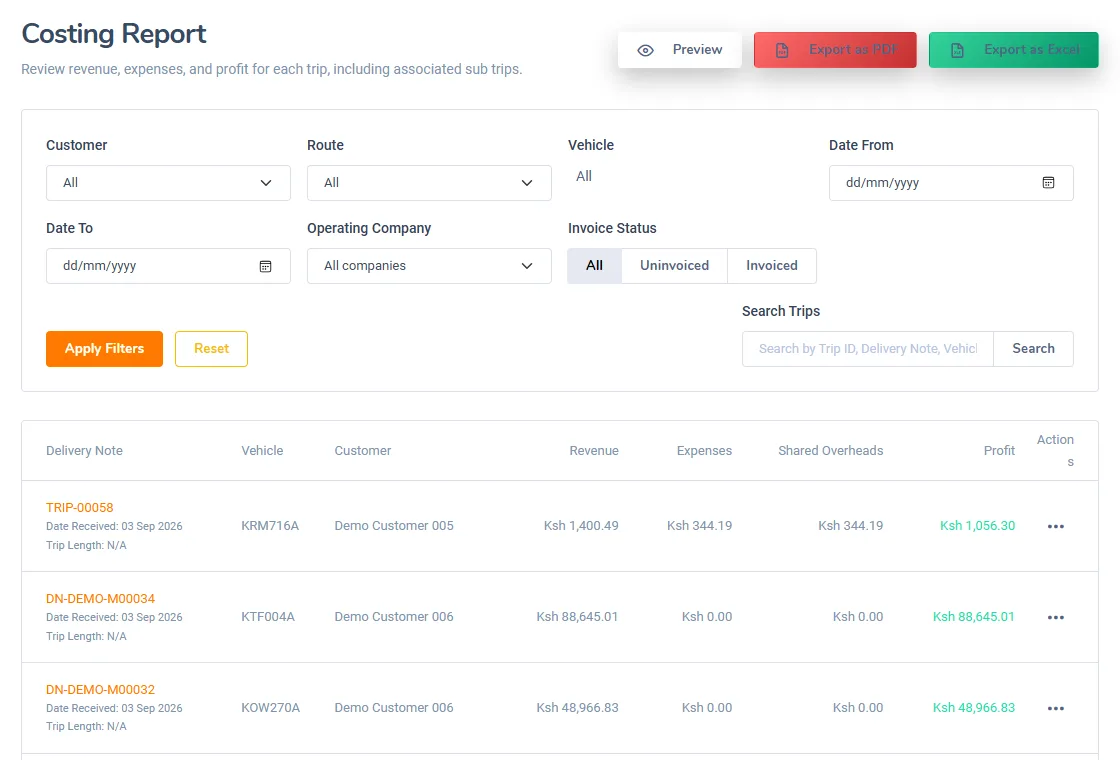
Finance
Costing report
Revenue, expenses, shared overheads and profit for every trip, with PDF and Excel export.
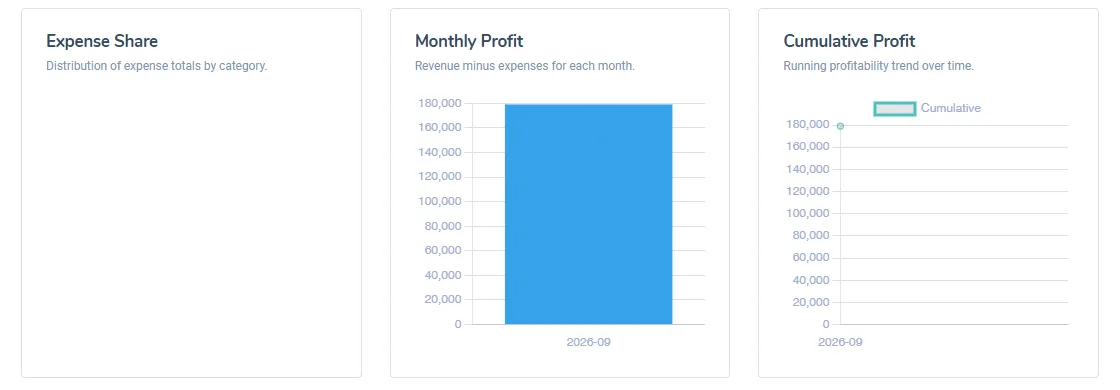
Reports
Profitability charts
Expense share by category, with monthly and cumulative profit over the selected period.
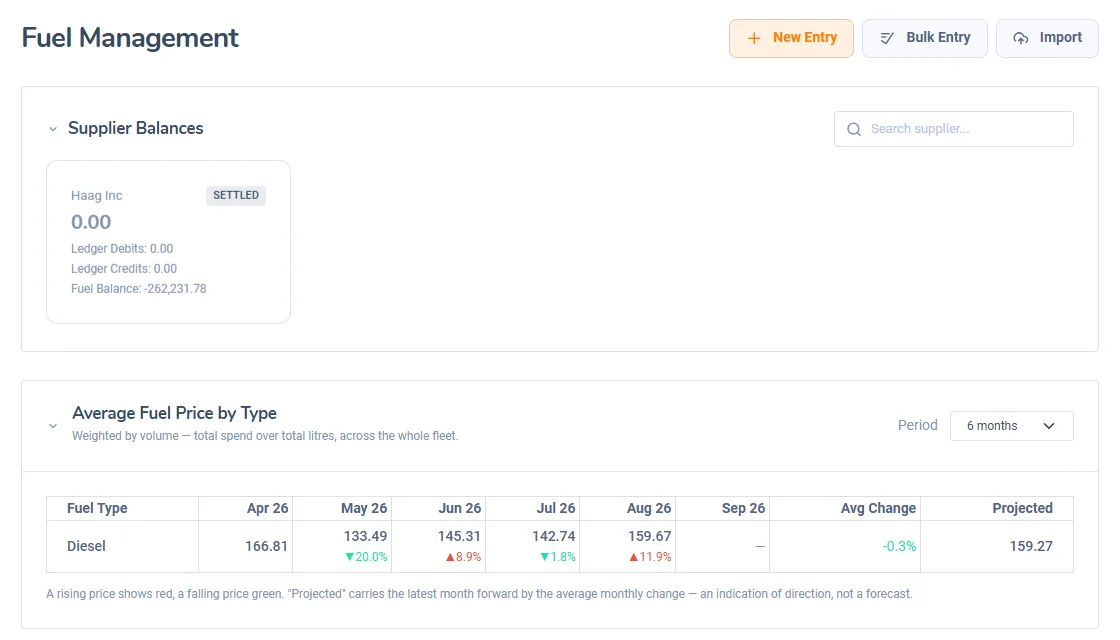
Fuel
Fuel management
Average fuel price by type for each month, with the change and a projected figure, next to supplier balances.
Keep exploring
Other problems it removes
Next step
See it handle this in your own operation
A walkthrough starts with trip profitability and cost control and uses the modules that match how your team already works.
Talk to our sales team
Pick whichever channel suits you. The message is already written.
NAIROBI