Slow Billing & Collections
How JTN TMS turns completed trips into invoices and keeps every unpaid balance in view until it is collected.
The problem
What it looks like without a system
- Invoices go out days after delivery because trip details are retyped.
- Nobody knows which completed trips have not been invoiced.
- Bank and M-PESA payments are matched to invoices by hand.
- Overdue balances are only noticed when cash runs short.
How JTN TMS handles it
From completed trip to invoice to payment, without re-keying
-
1
Every trip shows its invoice status
Trips are marked uninvoiced or invoiced and can be filtered that way, so completed work is never left unbilled.
-
2
Invoices built from the trip
Invoices carry the trip reference, route and period, with tax, credit notes, recurring invoices and printable templates.
-
3
Payments tracked to the invoice
Payment status sits on the trip and the invoice, with M-PESA collections and payment proof recorded in the system.
-
4
Receivables you can chase
Receivables aging groups what is owed by age and currency, and customer statements can be exported or emailed.
-
5
Collection performance in one report
The invoice report tracks invoices issued, amounts paid and outstanding, and the collection rate.
Inside the system
The screens your team works from
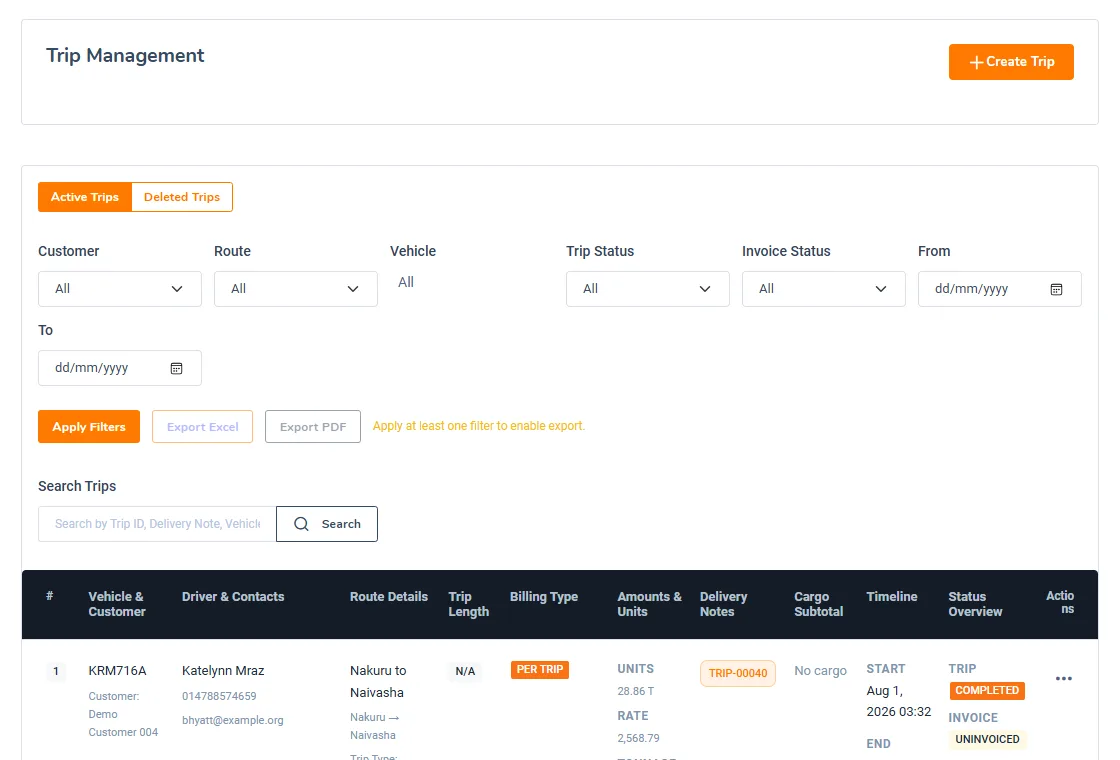
Trips
Invoice and payment status on every trip
Each trip shows whether it has been invoiced and paid, and the list can be filtered by invoice status.
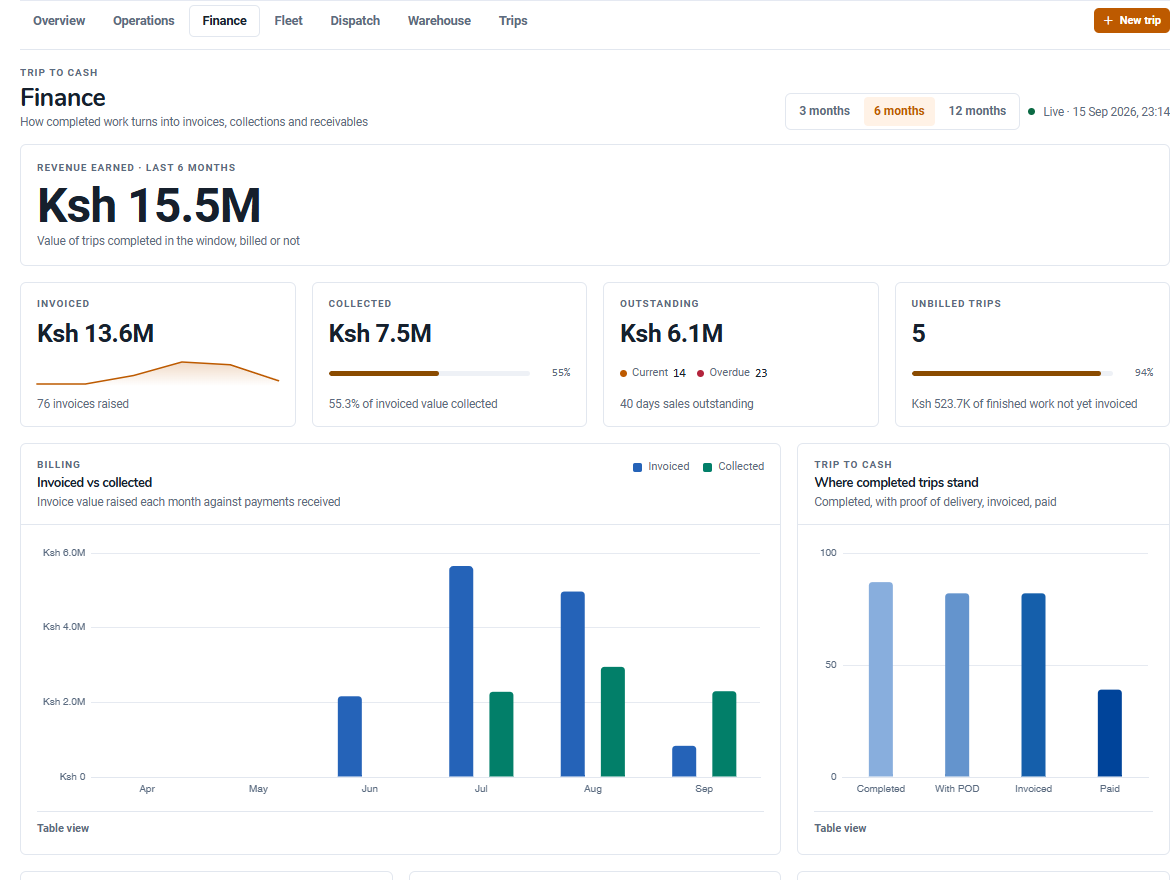
Finance
Trip to cash at a glance
Invoiced against collected by month, the trip-to-cash funnel, and receivables aging with the largest balances.
Keep exploring
Other problems it removes
Next step
See it handle this in your own operation
A walkthrough starts with invoicing and collections and uses the modules that match how your team already works.
Talk to our sales team
Pick whichever channel suits you. The message is already written.
NAIROBI