Missed or Delayed Deliveries
How JTN TMS keeps every delivery request, trip and service level in one place, so delays surface before the customer calls.
The problem
What it looks like without a system
- Delivery updates live in phone calls, WhatsApp groups and memory.
- Requests wait for approval because nobody sees the queue.
- Customers find out about a delay before the operations team does.
- Nobody can say how many deliveries actually arrive on time.
How JTN TMS handles it
Every job moves from request to proof of delivery on one record
-
1
One queue for every request
Customer and internal dispatch requests land in a single queue with their status (draft, submitted, approved, rejected or expired) and a live count of what is waiting for approval.
-
2
Approval turns into a trip
An approved request becomes a trip with its vehicle, driver, route, billing type and delivery notes, without retyping the job.
-
3
Progress is visible to everyone
Each trip carries its stage, start and end times and duration, so operations can see what is in transit and what is stuck.
-
4
Service levels are measured, not guessed
The dashboard shows how quickly deliveries are completed (same day, next day, or two days and more) alongside OTIF and proof-of-delivery rates.
-
5
Customers can check for themselves
The customer portal shows their dispatch requests and trips, which cuts the "where is my truck?" calls.
Inside the system
The screens your team works from
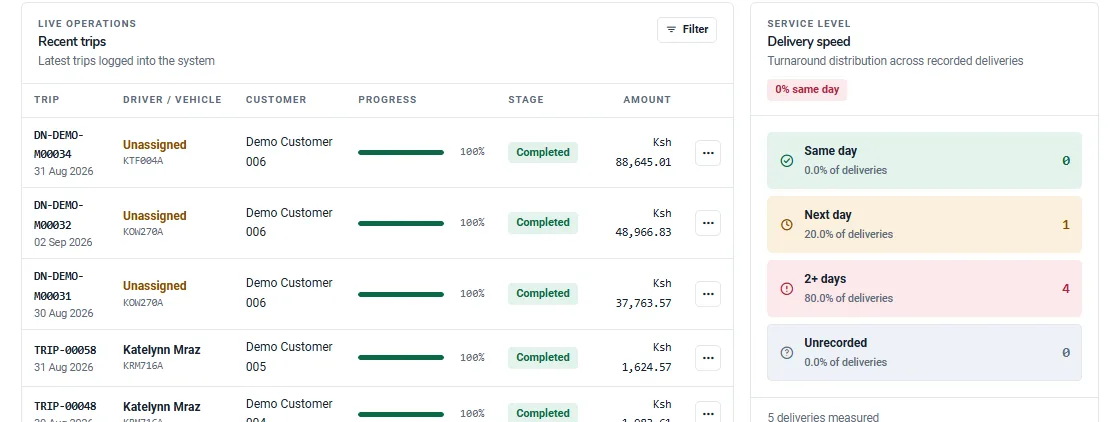
Command centre
Recent trips and delivery speed
The dashboard lists the latest trips with their progress and stage, next to a breakdown of how quickly jobs are delivered.
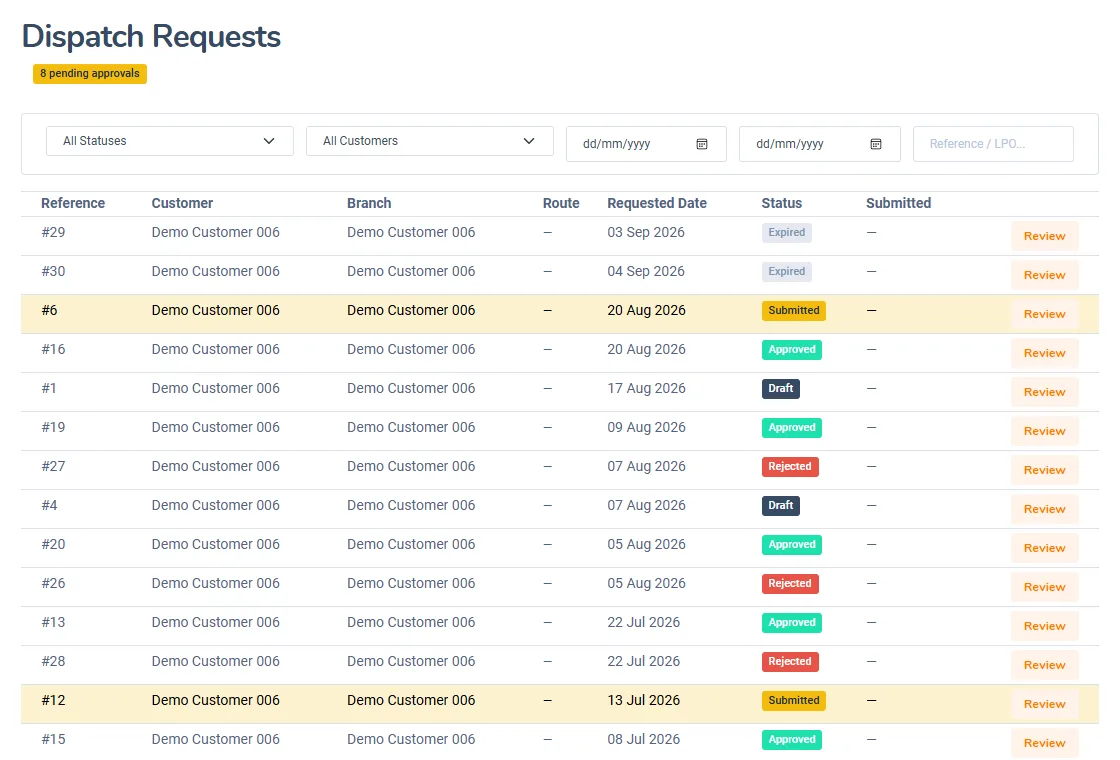
Dispatch
Dispatch request queue
Every request with its customer, requested date and status, with pending approvals counted at the top.
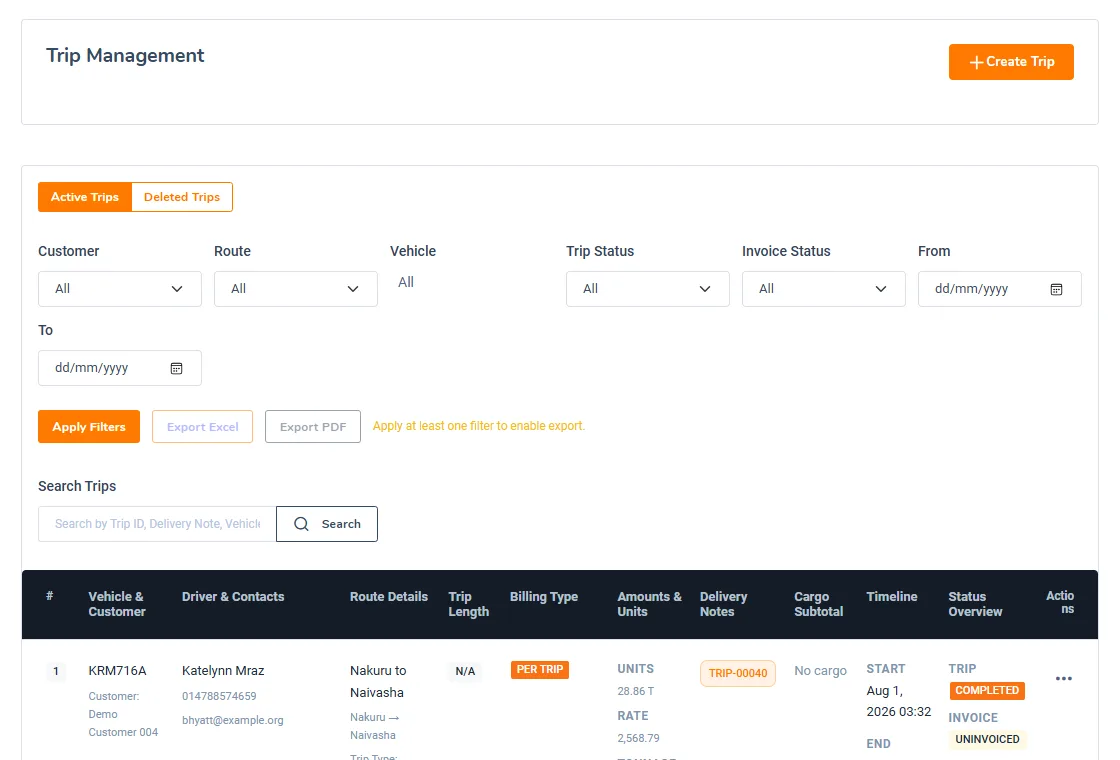
Trips
Trip management
Filter trips by customer, route, vehicle, trip status and invoice status. Each row shows the driver, route, timeline and status.
Keep exploring
Other problems it removes
Next step
See it handle this in your own operation
A walkthrough starts with tracking deliveries and preventing delays and uses the modules that match how your team already works.
Talk to our sales team
Pick whichever channel suits you. The message is already written.
NAIROBI